My Cart ⟩
⟨ AMT Electronics
⟨ Back to Blog

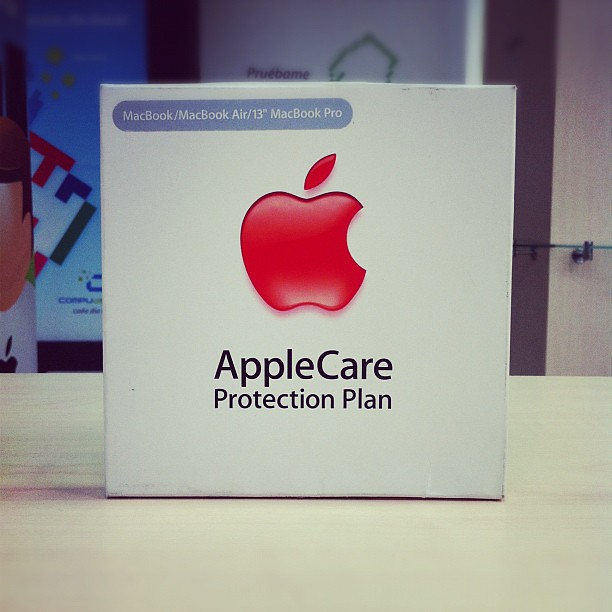
What is AppleCare and can I buy AppleCare later?

Apple releases a new major version of iOS roughly once a year. The new iOS versions are designed to fix stability issues and improve user interface and experience. Here, you will find everything you need to know about updating your iPhone.

What is AppleCare+?


Every Apple device comes with a limited one-year warranty against manufacturing defects including imperfections in materials and workmanship. This includes a complimentary 90 days of technical support by phone or chat. You can obtain AppleCare+ to extend this protection to two years and get coverage and support for other hardware and software problems. Under AppleCare+, Apple offers repairs at a discounted price for up to two instances of accidental damage. Therefore, provided that you have AppleCare+, you should not worry if your iPhone slips from your hand or its screen is broken.


Apple will repair or replace it for you at a reasonable cost. Otherwise, as the damage resulted from an accident or incorporated by water contact is excluded from the limited warranty coverage, you have to pay a much higher price to get your device fixed by Apple or authorized service providers. For example, screen replacement cost under AppleCare+ coverage is just $29 for all iPhone models, while it could be as high as $329 for iPhone 11 and iPhone XS Max. The extended warranty plan is available for most Apple products such as Mac computers, iPad, iPhone, Apple Watch, Apple display, and Apple TV. Customers can also buy additional services and support such as software training through the AppleCare+ plan.


Can I buy AppleCare+ later?


Yes, if you need some time to decide, you have 60 days after you purchased your device to get AppleCare+ coverage. This period is limited to 30 days for customers living in Japan. You can also purchase the extended protection for your Mac within one year of the purchase.


Although you can buy AppleCare+ up to two months of your device purchase, it is better to subscribe to AppleCare+ when you purchase your new device. Else, before you can apply for AppleCare+, Apple will ask you to bring your device for the physical inspection to ensure that there is no existing damage.


In this case, you should provide Apple proof of purchase such as a receipt or serial number if the device is purchased online. They will also run a remote diagnostic tool on your device. So, it is more convenient to purchase AppleCare+ protection at the same time as the product. As the shopping process is being complete at Apple.com or Apple Store you will be offered to purchase AppleCare+, and authorized Apple resellers would offer the AppleCare+ plan for your device too.


Do I have to pay for AppleCare+ upfront?


No more! Now Apple offers a monthly subscription plan for AppleCare+ for iPhone, iPad, and Apple Watch. At the monthly plan, you purchase AppleCare+ for 1 month and your plan will be automatically renewed each month unless you cancel the protection. This type of payment is ideal for those want to test the plan or need extended protection for a limited time. Nevertheless, the monthly subscription is more expensive than the upfront payment. In other words, if you apply for a monthly plan you will eventually pay more for AppleCare+.


Does AppleCare+ cover loss or theft?


Yes, it does but at an extra fee. A new addition to AppleCare+ lets you get a new replacement if your iPhone gets lost or stolen. This option covers up to two incidents of loss or theft. You should check this option out when you apply for AppleCare+ and pay an extra fee which is between $80-$100 depending on your phone model. Keep in mind that this extra coverage is totally optional and is only offered for iPhone. In addition, if you lose your iPhone or it is stolen Apple will not replace your phone for free but it will sell you a new phone at a discounted price. Sometimes the price difference is not so big.
If your apple gear is prone to damage it is better to purchase AppleCare+ for your device to quit worrying about it. To buy AppleCare+ tap on the signup icon near the top settings in the recent iPhones or head into the nearby Apple store.

References

wikipedia

apple

macworld

howtogeek

Related articles

Will Apple replace my phone?

Published on 2023-02-02

Apple provides tools and instructions for self-service repair

Published on 2021-11-21

Everything you need to know about iOS: What is the history of iOS and how it works

Published on 2019-02-05

Address: 381 Elizabeth St, Melbourne VIC 3000

Click to see direction

©2026. All rights reserved.

Website Design Melbourne - SEO Melbourne by IT BOOST Australia