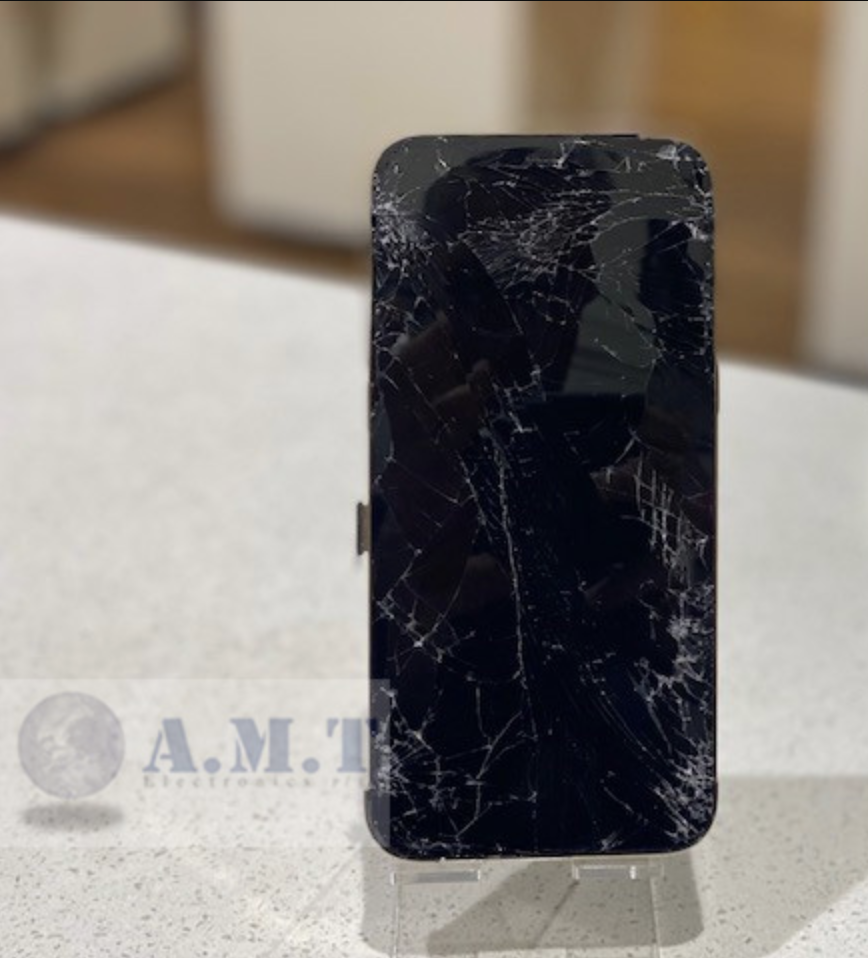
A damaged or malfunctioning iPhone screen can affect how you use your device day to day.
From typing messages that appear on their own to screens that flicker unexpectedly, display-related problems are some of the most common issues seen during iPhone repairs in Melbourne.
For many users, these problems start subtly before becoming more disruptive over time. A small drop, pressure damage inside a bag, moisture exposure, or even ongoing wear can lead to screen instability that affects both visibility and touchscreen responsiveness.
Understanding what causes ghost touch and flickering screens, along with knowing when to seek professional repair, can help prevent further damage and avoid more expensive issues later.
Ghost touch occurs when your iPhone screen reacts without physical input. Apps may open on their own, the keyboard may type random letters, or the screen may scroll independently without being touched.
This issue can make the device frustrating to use and, in more severe cases, almost unusable.
Ghost touch problems are commonly linked to:
In many cases, ghost touch starts intermittently before becoming more consistent over time.
Screen flickering is another common issue seen during iPhone screen repairs. The display may rapidly brighten and dim, flash unexpectedly, or show unstable colours and brightness levels.
Flickering can appear after:
On OLED iPhone models, even relatively small internal damage can affect display performance. Sometimes the external glass may appear mostly intact while the internal display layers underneath have already been compromised.
Ghost touch and flickering screens are often accompanied by other warning signs, including:
These symptoms can worsen gradually, especially if the device continues to experience pressure, heat, or further impact.
Many people associate screen repairs with visible cracks, but internal display damage can occur even when the glass looks relatively minor.
Keeping an iPhone in a tight pocket, overcrowded bag, or underneath heavy objects can place pressure on the display over time. This may affect internal screen layers and connectors, eventually leading to flickering or touch issues.
A small drop may not always crack the screen immediately, but the internal display assembly can still shift or weaken. Ghost touch problems often appear days or weeks after impact damage.
Even limited exposure to moisture can affect screen performance. Internal corrosion may interfere with touchscreen communication and display stability.
Low-grade replacement screens can develop issues faster than high-quality components. Poor touch response, brightness inconsistency, and flickering are commonly linked to cheaper display assemblies.
While screen protectors cannot prevent every form of damage, they can significantly reduce the likelihood of certain screen-related issues.
A quality tempered glass screen protector helps by:
For Melbourne commuters and professionals regularly using their phones on public transport, at cafés, or in busy workplaces, a screen protector can provide an extra level of protection against accidental knocks and everyday wear.
It is important to understand that screen protectors mainly protect the outer glass surface. Strong impacts can still damage the internal OLED or LCD layers underneath, even if the protector itself appears fine.
Using a durable phone case alongside a screen protector offers more complete protection, particularly around screen edges where many cracks begin.
If your iPhone screen begins flickering or showing signs of ghost touch, acting early can help minimise further damage.
Temporary software glitches can occasionally affect display behaviour. Restarting the iPhone may help rule out minor software-related issues.
If the device has been kept in tight spaces or under pressure, avoid continuing to stress the display.
If the phone has recently been exposed to water or humidity, avoid charging it immediately and monitor for worsening symptoms.
Attempting self-repairs without proper tools can easily damage internal components, Face ID systems, or display connectors.
Persistent flickering, ghost touch, or display instability usually requires proper diagnostic testing to determine if the issue is related to the screen assembly, connectors, or internal hardware.
In some situations, the issue can be isolated to the screen assembly itself. In others, additional internal repairs may be required if impact damage has affected other components.
Using high-quality replacement screens is important for maintaining proper brightness, colour accuracy, and touch responsiveness after repair.
While accidents are difficult to avoid completely, a few simple habits can help reduce the risk of screen damage:
Addressing minor screen issues early can often prevent more extensive repairs later.
If your iPhone is experiencing ghost touch, flickering, touchscreen instability, or display damage, professional diagnosis can help identify the cause before the issue worsens.
At AMT Electronics, we provide iPhone screen replacement and repair services, our technicians focus on practical, reliable repairs that restore screen performance and help keep your device functioning properly for everyday use.
This article is provided free of charge for public information. We do not guarantee, and accept no legal liability for, the accuracy, reliability, currency, or completeness of the content or any linked material. Users should apply their own judgment and verify the material’s relevance to their needs. This article is a general summary and not a substitute for legal or professional advice. Users should seek appropriate advice for their circumstances. Any third-party views expressed do not necessarily reflect ours or imply endorsement.
©2026. All rights reserved.