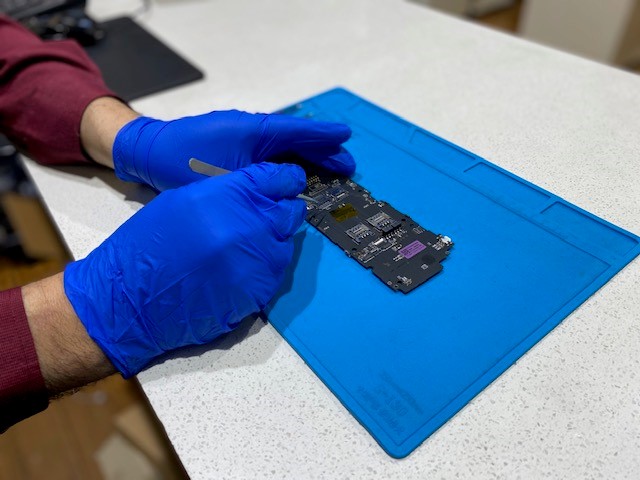
Our AMT Electronics team explains common iPhone issues we see and repair in Melbourne CBD, from cracked screens to charging faults and water damage.
An iPhone can go through a lot over its lifetime. Daily use, accidental drops, moisture and constant charging can all contribute to problems ranging from cracked screens and worn charging ports to more complex internal faults.
At AMT Electronics, we see a wide range of iPhone issues at our Melbourne CBD repair centre. From our experience, the obvious symptom isn't always the actual cause. An iPhone that won't charge, for example, could have a damaged port, failing battery or internal hardware fault.
Our technicians assess the underlying cause before recommending a repair, helping ensure the right problem is addressed. Here are some of the most common iPhone issues we encounter and how they can be repaired.
Screen damage is one of the most common reasons customers visit an iPhone repair specialist. The modern iPhone display is a stack of components bonded together: the outer glass (which takes the impact), the OLED or LCD panel underneath, and the digitiser layer that registers touch input. A hard drop onto concrete or tile can shatter the outer glass while leaving the panel intact or it can fracture the display underneath without cracking the surface glass at all.
In some cases, the impact transfers through the chassis and damages connectors at the base of the screen, causing touch issues even when the glass appears undamaged, causing the screen to look relatively intact while developing problems such as flickering, dead areas or ghost touch.
We commonly see customers experiencing:
A screen protector and protective case can help reduce the likelihood of damage from everyday knocks, but they cannot protect against every impact. Once the display itself has been damaged, professional screen replacement may be required.
Battery performance declines with every charge cycle, but the rate of decline depends heavily on charging habits, temperature exposure, and the quality of accessories used.
Apple's lithium-ion batteries are rated for around 500 full charge cycles before capacity drops to approximately 80%. In practice, most iPhone users reach that threshold within two to three years of daily use. At that point, the battery may still hold a charge but it can no longer supply the peak current that demanding tasks require, which triggers unexpected shutdowns even at 20–30% charge remaining.
Some of the warning signs we regularly see include:
This is one of the most misunderstood battery symptoms. It isn't the percentage reading that causes the shutdown, it's the battery's inability to deliver the instantaneous power spike that the processor demands during intensive tasks.
Checking Battery Health under Settings > Battery > Battery Health & Charging gives a rough indication, but that figure measures capacity, not the battery's ability to handle peak loads.
The percentage shown on screen is an estimate based on voltage, and a degraded battery's voltage can drop sharply under load in a way the system doesn't predict accurately. When the battery can't meet that demand, the device shuts off as a protective measure.
Charging ports experience a considerable amount of wear. A Lightning port contains a row of eight gold-plated contact pins arranged on a central blade. These pins carry both power and data signals.
Every time a cable is inserted and removed, the connection is exposed to physical stress, dust and debris. With repeated use, the plating wears and the pins can bend, particularly if cables are regularly inserted at slight angles.
A common sign of charging port damage is an iPhone that only charges when the cable is held at a particular angle. Customers may also notice the phone repeatedly starting and stopping charging or failing to recognise a cable altogether.
Charging problems can sometimes be caused by:
Trying to clean a charging port with sharp objects can damage delicate components, so persistent charging issues are best professionally assessed.
Liquid exposure is another problem we regularly encounter. It could be a phone dropped near a pool, rain during a Melbourne commute, a drink spilled onto a desk or an iPhone accidentally taken into an environment where it becomes exposed to moisture.
Water damage can affect far more than the screen. Depending on where the liquid reaches, it can cause problems with:
If an iPhone has been exposed to liquid, avoid repeatedly turning it on to see if it still works. Professional assessment can provide a better indication of the extent of the damage and what can be done to prevent further deterioration.
Recent iPhones carry an IP68 rating, which certifies resistance to submersion at a specific depth for up to 30 minutes under controlled laboratory conditions. The rating does not account for the degradation of the adhesive seals around the display and port openings over time, or for exposure to liquids other than fresh water. Chlorinated pool water, salt water, and drinks are more corrosive than the fresh water used in testing.
Apple also states explicitly that liquid damage is not covered under warranty regardless of IP rating. The liquid contact indicators inside every iPhone will show exposure, and these are checked during any warranty or insurance assessment.
Liquid that enters an iPhone doesn't always cause immediate, visible damage. Fresh water may evaporate without causing lasting harm if the device is powered down quickly. The problem is corrosion, which develops gradually on the exposed metal contacts of the logic board, battery connector, and flex cable terminals. A phone that functions normally after getting wet can develop charging faults, camera issues, or audio problems weeks later as that corrosion spreads.
This is why powering the device on repeatedly to test it after liquid exposure is counterproductive, as running current through corroded contacts accelerates the damage. The correct approach is to power the device off and have it inspected before applying any charge.
The camera systems in recent iPhone models are sophisticated, and that sophistication means more components that can be affected by drops, impact, or moisture.
iPhone cameras use optical image stabilisation (OIS), a system that physically moves the lens element to compensate for hand movement. This mechanism uses magnetic suspension, which can be disrupted by strong external magnets. A simple drop can also dislodge the OIS mechanism, causing the camera to vibrate audibly or produce blurry images despite appearing physically intact.
Poor audio quality can make phone calls, video meetings and media playback difficult. An iPhone speaker may sound muffled because of debris or physical damage, while microphone problems can result in callers struggling to hear you.
We commonly investigate symptoms such as:
Moisture exposure can also affect these components. If audio problems began after a drop or liquid incident, a technician should inspect the device rather than assuming the speaker itself is the only problem.
Power, volume and silent controls are used constantly, so they can also become worn or damaged over time.
For people who rely on their iPhone for work, content creation, documents or everyday photography, a faulty camera can quickly become more than a minor inconvenience.
Face ID and other sensors are sophisticated components, meaning problems can sometimes occur after screen damage, drops or previous repairs.
Signs of a problem can include:
These faults can be more involved than simply replacing a visible component. A proper inspection helps determine what has been affected and what repair options are available.
Not every iPhone problem is caused by physical damage.
Software issues can result in freezing, crashes, unexpected restarts, slow performance or apps failing to work correctly.
Before recommending hardware repairs, technicians can assess the device to determine if the issue appears to be software-related.
This distinction is important because replacing a physical component will not solve a problem caused by software, settings or an operating system issue.
Connectivity problems are increasingly common as iPhones become connected to more devices and services.
An iPhone may struggle to connect to:
Some connectivity issues can be resolved through software troubleshooting and settings changes. However, persistent connection problems after a drop or liquid exposure may point towards internal hardware damage.
Our technicians assess the symptoms and device history to determine the most likely cause before recommending a repair.
Not every minor issue requires immediate attention, but delaying certain problems can allow them to become more serious. The right repair can often restore a device that still has plenty of useful life left, without immediately needing to replace the entire phone.
If your iPhone isn't performing as it should, bring it to AMT Electronics in Melbourne CBD for professional assessment. We can identify the issue, explain the available repair options and help you make an informed decision about your device.
This article is provided free of charge for public information. We do not guarantee, and accept no legal liability for, the accuracy, reliability, currency, or completeness of the content or any linked material. Users should apply their own judgment and verify the material’s relevance to their needs. This article is a general summary and not a substitute for legal or professional advice. Users should seek appropriate advice for their circumstances. Any third-party views expressed do not necessarily reflect ours or imply endorsement.
©2026. All rights reserved.