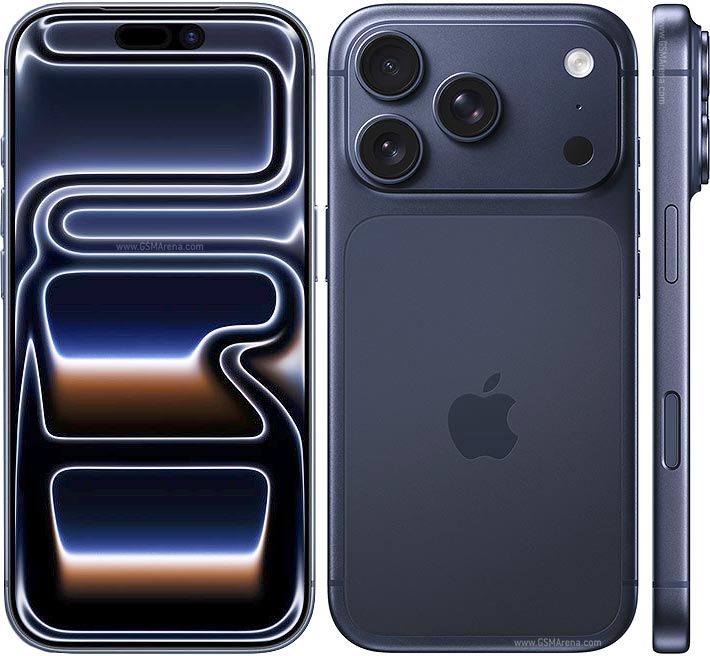
Learn about common iPhone camera, microphone, speaker and Face ID issues, and how AMT Electronics can help with iPhone repairs in Melbourne.
An iPhone does more than just make calls. From capturing photos and recording videos to attending work meetings and navigating Melbourne's streets, its cameras, microphones, speakers and other components play an important role in everyday use.
When one of these components stops working properly, even a phone that looks perfectly fine can become difficult to use. Calls may sound muffled, photos may appear blurry, or the microphone may fail to pick up your voice.
At AMT Electronics, we understand that identifying the cause of a fault is an important part of getting an iPhone repair right. Problems that appear similar on the surface can have different underlying causes, from physical damage and moisture exposure to software issues and internal component failure.
Here's a closer look at common iPhone hardware problems, what causes them and how professional diagnosis can help determine the right repair.
Microphone faults can affect phone calls, voice messages, video recordings and apps that rely on audio input. The symptoms may vary depending on which microphone is affected and how the device is being used.
Common signs include:
Dust and debris can accumulate around microphone openings, restricting sound input. Drops and impacts can also damage internal components, while liquid exposure may affect the microphone or its surrounding circuitry.
It is also important to consider software and settings. If a microphone works in one application but not another, the problem may relate to app permissions or software behaviour rather than a failed component.
At AMT Electronics, a proper assessment helps distinguish between a blocked opening, a software-related fault and a potential hardware issue before a repair is recommended.
Avoid inserting pins or other sharp objects into microphone openings, as this can damage delicate components.
A malfunctioning camera can be particularly frustrating when you rely on your iPhone for work, content creation or everyday photography.
Camera issues can develop after accidental drops, pressure damage, liquid exposure or normal wear.
Common symptoms include:
Start by checking the external lens glass for fingerprints, dirt or visible damage. If cleaning the lens does not help, the problem may be internal.
iPhones with optical image stabilisation (OIS) use a mechanism that adjusts the camera to compensate for hand movement. A significant impact can damage this mechanism, potentially causing blurry images or unusual vibration.
Camera faults can also involve the autofocus system, camera assembly or internal connections. The correct repair depends on the component affected. A damaged external camera lens cover may require a different repair from a faulty camera module, which is why professional diagnosis is important.
Camera faults can also affect Face ID for iPhones, modern iPhones models rely on sophisticated sensors for functions such as Face ID and automatic screen behaviour during calls.
If these systems stop working properly, the cause may involve software, physical damage or a fault affecting the relevant components.
Symptoms can include:
These issues can be more complex than they initially appear. Face ID components are closely integrated with the device, so repair options depend on the model, the fault and the components affected.
A technician can assess the symptoms and explain the available options without assuming that replacing a single component will resolve the problem.
Speaker problems can affect phone calls, notifications, video playback and music.
You may notice that your iPhone sounds quieter than usual, produces distorted audio or stops playing sound through one of its speakers.
Possible causes include:
Before arranging a repair, check the volume settings and test audio across different applications. If the problem persists, the speaker or another part of the audio system may require inspection.
Avoid using sharp tools to clean the speaker grille. Although removing surface debris may help, pushing objects into the openings can damage internal components.
For persistent distortion or complete audio failure, a technician can assess the speaker and determine if cleaning, software troubleshooting or component replacement is appropriate.
The physical controls on an iPhone experience frequent use, making them susceptible to wear and accidental damage. Problems can affect the power button, volume buttons, Action button or other controls, depending on the model.
You might notice that a button feels stiff, does not respond consistently or has stopped working completely. Drops can damage the button mechanism or internal connections, while moisture and debris can contribute to operating problems.
Before assuming the button needs replacing, it is worth checking for software-related causes. If the control remains unresponsive or feels physically damaged, professional inspection can help identify the underlying fault.
The haptic motor is responsible for creating the tactile feedback that users feel when interacting with the device's touch interface. The motor creates the subtle vibrations you feel when interacting with your iPhone, including notification alerts, keyboard feedback and certain system controls. If these vibrations become weak, inconsistent or stop working entirely, the issue may be related to the haptic motor or its associated hardware.
Before recommending a repair, our technicians can check the iPhone's settings and software to rule out simpler causes. If the problem points to a hardware fault, we can assess the haptic motor and determine the appropriate repair to restore your iPhone's tactile feedback.
Not every iPhone fault requires a physical repair. Software glitches, outdated applications, incorrect permissions and system settings can sometimes cause problems with cameras, microphones, speakers and connectivity.
For example, a microphone may work normally during a phone call but fail in a particular application because the app does not have the necessary microphone permission.
Similarly, a camera app that freezes or displays a black screen may have a software-related issue rather than a damaged camera.
Basic troubleshooting can include restarting the device, checking relevant permissions and installing available iOS updates.
If the problem continues, professional diagnosis can help determine if a hardware fault is involved. This step is important because replacing a component will not resolve an issue caused by software alone.
Some minor problems can be resolved through basic troubleshooting, but persistent faults deserve closer attention.
Consider arranging a professional assessment if your iPhone has:
If your phone has been exposed to liquid, avoid repeatedly powering it on to test its condition. Moisture can affect internal components even when the exterior looks undamaged.
Early assessment can help identify the source of the issue and determine the most appropriate repair.
At AMT Electronics, we provide iPhone repair services in Melbourne CBD, helping customers address a wide range of hardware and software problems. Our technicians assess the symptoms, investigate potential causes and recommend practical repair options based on the condition of the device.
If your iPhone's microphone is failing, camera is producing blurry images or speaker is no longer working correctly, a professional assessment can help establish what needs attention and get you closer to a reliable solution.
Need help with an iPhone problem? Contact AMT Electronics to discuss your symptoms and arrange an assessment at our Melbourne CBD repair centre.
This article is provided free of charge for public information. We do not guarantee, and accept no legal liability for, the accuracy, reliability, currency, or completeness of the content or any linked material. Users should apply their own judgment and verify the material’s relevance to their needs. This article is a general summary and not a substitute for legal or professional advice. Users should seek appropriate advice for their circumstances. Any third-party views expressed do not necessarily reflect ours or imply endorsement.
©2026. All rights reserved.